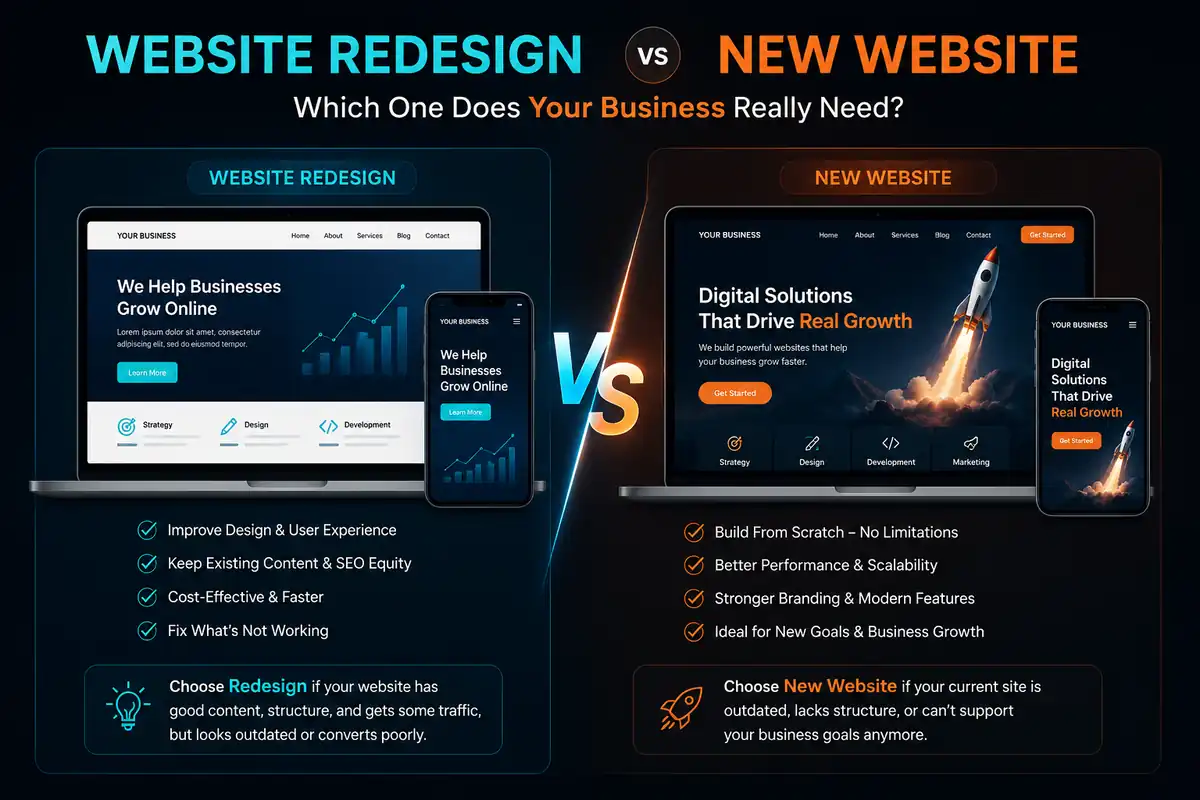
You know your website needs work. The question is: should you fix what you have or start over?
Every business owner in Lucknow — from clinic owners in Aliganj to retailers in Gomti Nagar — eventually faces this fork in the road. Your site is underperforming. Leads are drying up. Maybe it was built years ago and shows its age. But tearing it down and rebuilding from scratch feels expensive and risky.
At GoPixel Web Developers, we've helped over 150 businesses navigate this decision. Some needed a focused redesign that preserved their SEO equity and content. Others needed a clean-slate build because their existing platform simply couldn't take them where they needed to go.
Over 60% of web traffic worldwide comes from mobile devices — and that share continues to grow (Statista, 2026). If your site isn't mobile-optimised, most of your audience is already struggling.
53% of mobile users abandon a site that takes longer than 3 seconds to load (Google). Every extra second of load time can cost you conversions.
94% of first impressions are design-related (Google/Stanford Credibility Research). Visitors judge your business's credibility within a fraction of a second, based almost entirely on how your website looks.
Sources: Statista, Google, Stanford Web Credibility Project.
This guide breaks down the website redesign vs new website decision with real cost comparisons, timeline estimates, SEO implications, and a practical framework you can use to choose the right path for your business.
In This Guide
What Counts as a Website Redesign?
A redesign keeps your existing content, URL structure, and tech platform but overhauls the visual design, user experience, and often the information architecture. Think of it as a major renovation — you keep the foundation and plumbing, but update the layout, finishes, and flow.
A redesign typically includes:
- Updated visual design (colours, typography, spacing, imagery)
- Improved navigation and information architecture
- Mobile responsiveness overhaul
- Performance optimisation
- Content refresh and restructuring
- SEO preservation with 301 redirects where needed
What Counts as Building a New Website?
A new build starts from scratch — new platform, new design, new codebase. You might reuse some content and branding assets, but everything else is built fresh. This is the right choice when the existing site is too far gone to save.
A new build typically includes:
- Complete design and development from the ground up
- New tech stack or platform selection
- Fresh information architecture and content strategy
- Full SEO setup including schema, sitemaps, and redirects
- Performance built in from day one
When to Redesign Your Website
Here are the scenarios where a redesign is usually the smarter move:
Design feels outdated
Your site works fine but looks like it belongs to a different era. The layout feels cramped, the colours are dated, and the overall impression doesn't match your current brand quality.
Mobile experience is poor
Traffic is shifting to mobile but your site wasn't built for small screens. Buttons are hard to tap, text requires zooming, and your mobile conversion rate is a fraction of desktop.
SEO rankings are slipping
Your site has good content and backlinks, but technical SEO issues — slow speed, missing schema, poor structure — are dragging down rankings. A redesign fixes the foundation without losing existing equity.
Content is strong but presentation is weak
You have solid content, good product descriptions, and useful blog posts. The problem is the design doesn't do them justice. A redesign lets you showcase what you already have more effectively.
When to Build a New Website
These situations call for a fresh start rather than a redesign:
Platform is obsolete
Your site runs on an outdated platform that's no longer supported — think old custom CMS, Flash-based site, or a WordPress theme from 2017 with security vulnerabilities. No amount of redesign can fix a rotten foundation.
Complete rebrand
You've changed your business name, logo, brand identity, and target audience. The old site represents a business that no longer exists. Building new is cleaner than trying to retrofit everything.
Fundamental architecture problems
The site's navigation, URL structure, and content organisation are fundamentally broken. Patching them with a redesign would be like rearranging deck chairs on the Titanic.
Moving to a different platform
You're migrating from HTML to WordPress, from WordPress to a custom stack, or from a basic site to a full ecommerce platform. Platform migrations almost always require a new build.
Cost Comparison: Redesign vs New Build
Pricing varies by scope, but here are typical ranges for Indian small businesses based on our project data:
₹20,000 – ₹60,000
For a typical 5-10 page small business site. Lower cost because content, structure, and domain authority are preserved. Best for sites with good foundations that need visual and UX improvements.
₹30,000 – ₹1,00,000+
For a comparable 5-10 page site built fresh. Higher upfront cost because everything is created from scratch. However, if the old platform was limiting, the new build often pays for itself through better performance and scalability.
| Factor | Redesign | New Website |
|---|---|---|
| Cost | Lower — reuse existing content & structure | Higher — everything built from scratch |
| Time | Faster — 2–4 weeks typical | Slower — 4–8 weeks typical |
| SEO Risk | Lower — URLs and content preserved | Moderate — needs careful redirects & migration |
| Scalability | Medium — limited by existing platform | High — fresh stack built for growth |
| Best For | Existing websites with solid foundations | Rebranding, platform migration, or overhaul |
Related: Detailed website design cost breakdown for Indian businesses
Timeline Comparison
2 – 4 weeks
Discovery and audit (3-5 days), design phase (5-7 days), development and QA (5-7 days), content migration and launch (3-5 days). Faster because content and structure already exist.
4 – 8 weeks
Discovery and strategy (5-7 days), design phase (7-10 days), development (10-14 days), content creation (5-7 days), QA and launch (5-7 days). Longer because everything must be built from zero.
SEO Impact of Redesign vs New Build
This is where many business owners get nervous. The short answer: both paths can preserve or improve your SEO if handled correctly. The risks are different.
Redesign SEO risk: Low to moderate. If you keep the same URL structure, your rankings are largely protected. The main risk is if you dramatically change content quality or page structure in ways that reduce relevance.
New build SEO risk: Moderate to high if not managed carefully. New URLs need 301 redirects from old pages. New content needs to match or exceed old content quality. A well-executed migration with proper redirect mapping, sitemap submission, and monitoring typically recovers within 4-6 weeks.
Key principle: Whichever path you choose, plan your SEO migration before touching a single line of code. Map every old URL to its new equivalent. Set up 301 redirects. Submit the new sitemap to Google Search Console the day you launch. Monitor rankings weekly for the first month.
Related: Complete SEO guide for beginners
Decision Framework: How to Choose
Still unsure? Walk through these five questions. Your answers will point you to the right path.
Question 1: Is your current platform technically sound?
- If yes → redesign is viable
- If no (obsolete CMS, security risks, can't scale) → build new
Question 2: Is your content worth keeping?
- If yes (solid copy, good product pages, ranking blog posts) → redesign
- If no (thin content, wrong messaging, poor quality) → build new
Question 3: Do your URLs currently rank?
- If yes (you get organic traffic you want to protect) → redesign is safer
- If no (little to no organic traffic) → either path works; new build may be better value
Question 4: Is the problem about appearance or functionality?
- If appearance (looks dated, poor mobile experience) → redesign
- If functionality (broken features, can't add needed functionality) → build new
Question 5: What is your budget and timeline?
- Tight budget and need results fast → redesign
- Room to invest more for a stronger long-term foundation → build new
Still Not Sure? Let's Make It Simple
If your site was built within the last 3 years, uses a modern platform, and has content you're proud of — redesign it. If your site is older, built on a dead platform, or requires fundamental changes to serve your new business direction — build new.
The wrong decision is the one you make without looking at the data. Audit your current site honestly. Talk to a professional. Get a second opinion. Then move forward with confidence.
At GoPixel, we offer free website audits that help you see exactly what you're working with — no sales pitch, just an honest assessment of whether a redesign or new build makes sense for your business.
Frequently Asked Questions
Is it cheaper to redesign a website or build a new one?
Redesigning is usually cheaper because content, structure, and SEO equity can be reused. However, if the tech stack is outdated or the site has fundamental problems, building new may cost less in the long run than repeatedly patching a weak foundation.
Does redesigning a website hurt SEO?
A redesign can temporarily affect rankings if URLs change without proper 301 redirects or if content quality drops. Done correctly — preserving URLs or mapping them, maintaining content quality, and monitoring performance — a redesign usually improves SEO over time.
Related: Our complete SEO guide
How long does a website redesign take?
Most small business redesigns take 3 to 6 weeks. Ecommerce or content-heavy sites can take 8 to 12 weeks depending on complexity and how ready your content is before the project starts.
When should I build a new website instead of redesigning?
Build new when your platform is obsolete, your codebase is unmaintainable, you are rebranding completely, or the site was built on a platform that can't support the features you need. If the foundation is rotten, a redesign is just cosmetic.
Can I redesign my website myself?
Minor refreshes like updating colours, swapping images, and rewriting copy can be done in-house. Full redesigns involving information architecture changes, SEO migration, and custom development are best handled by a professional website redesign agency to avoid costly mistakes.

Need a Free Website Audit?
Get a free, no-obligation website audit from GoPixel. We'll assess your current site, identify what's working and what isn't, and recommend the right path forward — with transparent pricing for both options.
Get Your Free Website Audit → Get a Free SEO Audit →