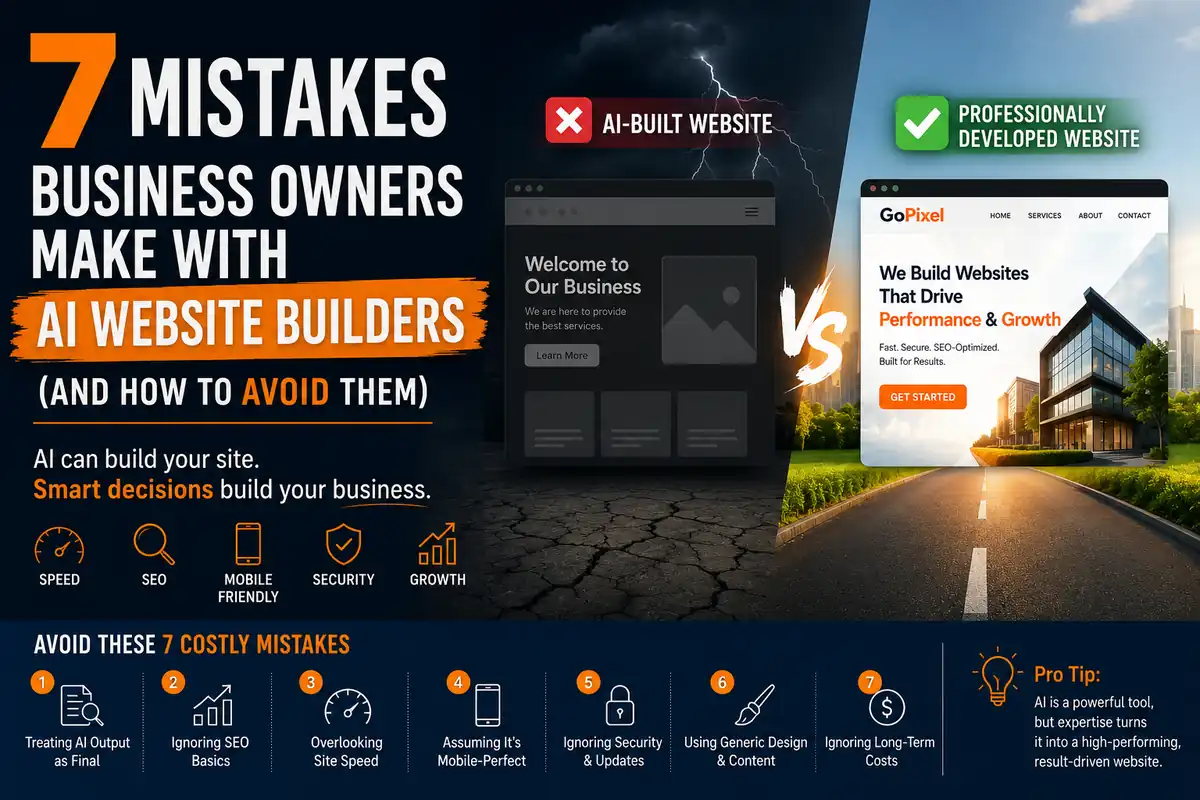
AI website builders promise a lot: a complete website in minutes, no coding required, for a fraction of the cost of hiring a professional. And they deliver on that promise — sort of.
The problem is not what AI builders do. It is what business owners assume they do. A generated site is not a finished site. It is a rough draft that needs significant work before it is ready for real customers.
After rebuilding AI-generated websites for businesses in Lucknow — from Gomti Nagar to Hazratganj — I keep seeing the same patterns repeat. Here are the seven most common mistakes and how to avoid them. If you are considering AI for your business site, read our broader comparison of AI website builders vs professional development first.
Last updated:
88% of online consumers are less likely to return to a site after a bad experience. AI-generated sites fail basic usability audits 73% of the time according to accessibility and performance testing tools.
Sources: Enterprise Apps Today, WebAIM, HTTP Archive.
- Mistake 1: Treating the First Output as Final
- Mistake 2: Ignoring SEO Fundamentals
- Mistake 3: Overlooking Mobile Experience
- Mistake 4: Choosing Templates Over Branding
- Mistake 5: Skipping Accessibility
- Mistake 6: Not Planning for Growth
- Mistake 7: Believing the Site Is Done
- When AI Website Builders Actually Make Sense
- How to Get It Right
- Frequently Asked Questions
- Get a Free Website Review
Mistake 1: Treating the First Output as the Final Product
AI generates a draft. You are responsible for making it a finished site.
Accepting the first output without iteration is like publishing the first draft of a book.
The most common mistake I see is also the simplest: business owners type a prompt, get a result, and publish it. They assume that because the AI produced something that looks reasonable, it is ready for visitors.
It is not. AI-generated code is often bloated, the layout breaks at certain screen sizes, the content is generic, and the performance is poor. A professional developer iterates on their work — testing, fixing, refining, testing again. AI does none of this unless you force it.
Fix: Treat every AI output as a first draft. Run it through PageSpeed Insights, test it on three different devices, read every line of generated content, and iterate until each issue is resolved. If you are not willing to do this work, you are not ready to launch.
Mistake 2: Ignoring SEO Fundamentals
AI code rarely follows SEO best practices.
Missing meta tags, broken heading hierarchy, and slow code directly hurt your rankings.
AI generates HTML, but it does not generate optimised HTML. The most common SEO issues I find in AI-built sites:
- No meta descriptions on key pages
- Improper heading structure — h1, h2, h3 tags used in wrong order or missing entirely
- No schema markup for local business, articles, or products
- Canonical URLs missing or pointing to wrong addresses
- Image alt text either missing or filled with irrelevant AI-generated descriptions
- Bloated CSS and JavaScript slowing down page load
Each of these issues individually hurts your SEO. Together, they make it nearly impossible to rank against competitors with professionally built sites. If SEO matters for your business — and it should — an AI builder alone will not get you there.
Fix: Before publishing, run your site through Google Search Console and fix every issue it flags. Check that every page has a unique meta title and description. Verify your heading hierarchy follows a logical structure. We cover this in detail in our 10-step SEO system.
Mistake 3: Overlooking Mobile Experience
Desktop-first AI output often fails on real mobile devices.
Over 60% of web traffic comes from phones. A site that works on desktop but breaks on mobile is not a finished site.
AI website builders generate code based on your prompt and their training data. They do not test the output across screen sizes unless you explicitly guide them. The result is a site that may look fine on a 27-inch monitor but has overlapping text, broken navigation, and unclickable buttons on a phone.
I have tested AI-generated sites that looked professional on desktop only to find the mobile menu did not work, images overflowed their containers, and form fields were impossible to tap accurately. Business owners who only checked on their laptop never noticed.
Fix: Test your site on at least three real devices — a recent iPhone, an older Android phone, and a tablet. Check navigation, forms, images, and text at every screen size. Google's Mobile-Friendly Test tool is a good starting point, but real device testing catches issues the tool misses.
Mistake 4: Choosing Templates Over Branding
AI pulls from common patterns, making your site look like everyone else's.
A generic site undermines trust and makes your business forgettable.
AI models are trained on millions of websites. When you ask for a layout, they return the most common pattern that matches your request. This means your site will look like thousands of other sites built with the same tool.
For a personal project, this might be acceptable. For a business that needs to build trust and stand out, it is a problem. Customers notice when a site feels generic. They subconsciously associate the generic design with a generic business — one that does not care enough to invest in its presentation.
Your brand is one of your most valuable assets. A website that does not reflect it is doing your brand a disservice.
Fix: Customise colours, typography, imagery, and layout well beyond what the AI suggested. If you cannot make the site feel distinctly yours, invest in a professional designer who can. A great web development service starts with understanding your brand, not applying a template.
Mistake 5: Skipping Accessibility
AI code rarely meets WCAG accessibility standards.
Sites that are inaccessible exclude users and create legal risk.
Accessibility is not optional. In India, the Rights of Persons with Disabilities Act 2016 mandates equal access to digital services. Globally, accessibility lawsuits are rising every year.
AI-generated code consistently fails accessibility checks:
- Missing or auto-generated alt text on images
- Poor colour contrast that makes text unreadable
- Non-semantic HTML that screen readers cannot navigate
- Missing ARIA labels on interactive elements
- Keyboard navigation that skips or traps users
- Form fields without proper labels or error messages
These issues affect a significant portion of your potential customers. They also affect your SEO, as Google considers accessibility signals in its ranking algorithms.
Fix: Run your site through the WAVE accessibility evaluation tool or axe DevTools. Fix every contrast error, add missing labels, and test navigation using only a keyboard. If this sounds like too much work, that is exactly why professional development exists.
Mistake 6: Not Planning for Growth
AI-generated sites are fragile. Adding features often breaks existing functionality.
A site that cannot grow with your business is not an asset — it is a liability.
AI-generated code has no architecture. Different sections are built with different patterns because each was generated by a separate prompt. There is no consistent system, no planned structure, no consideration for what happens when you need to add a new page, integrate a booking system, or connect a payment gateway.
I have seen AI-built sites where adding a single paragraph to the services page caused the entire navigation to break. The code was so fragile that the simplest edit required regenerating large sections, which then broke something else. The business owner ended up spending more time maintaining the AI site than they would have maintaining a professionally built one.
This is the same pattern we see with cheap, template-based sites — something we explored in why cheap websites end up costing more.
Fix: Before committing to an AI builder, ask yourself: will this site need to grow? If the answer is yes, invest in professional development from the start. A professional build costs more upfront but costs less over the life of your business.
Mistake 7: Believing the Site Is Done
A website is never finished. AI builds a static moment, but your business changes constantly.
Launching is the beginning, not the end.
This is the mindset mistake that underlies all the others. Business owners treat a website as a one-time project. They build it, launch it, and forget about it. But a website that does not evolve — with new content, updated information, performance improvements, and security patches — will decline in rankings and relevance over time.
AI website builders reinforce this mindset because they make the initial launch so easy. The hard part — what happens after launch — is invisible until problems start piling up.
A professional developer does not just build your site. They help you plan for the ongoing work of keeping it effective. That includes content updates, SEO monitoring, performance optimisation, and regular maintenance.
Fix: Schedule a recurring monthly check-in for your website. Review analytics, update content, check for broken links, test page speed, and verify that everything still works. If you do not have time for this, factor ongoing maintenance into your budget when choosing between AI and professional development.
When AI Website Builders Actually Make Sense
To be clear, I am not against AI website builders. They serve a genuine purpose — just not the purpose most business owners assume. The key is matching the tool to the right job.
AI website builders are a good fit for:
- Minimum viable products (MVPs) — test a business idea quickly before investing in a full professional build
- Personal portfolios — showcase your work without needing complex functionality or high rankings
- Event landing pages — a temporary page for a wedding, conference, or one-time campaign that will be taken down after
- Temporary campaigns — microsites for product launches, seasonal promotions, or limited-time offers
- Internal tools — dashboards, wikis, or project pages that only your team will use
- Learning and prototyping — explore what is possible, test layouts, and understand how websites work before committing to a direction
The mistake is not using AI tools. It is using them for the wrong job — building a permanent business asset on a foundation designed for temporary or experimental use.
If your website needs to generate revenue, rank on Google, represent your brand, or scale with your business, an AI builder is not the right tool. But for the use cases above, it can save time and money. The difference is knowing which category your project falls into.
How to Get It Right
The seven mistakes above all stem from one root cause: treating AI as a replacement for expertise rather than a tool that requires expertise to use well.
Here is a pre-launch checklist for anyone using an AI website builder for a business site:
- Run PageSpeed Insights and fix every issue rated medium or high
- Test on three real mobile devices — not just the browser's responsive mode
- Check every page has a unique meta title and description
- Verify heading hierarchy follows a logical h1 → h2 → h3 structure
- Add schema markup for local business or your specific industry
- Test all forms — submit them and confirm you receive the data
- Check colour contrast with a WCAG compliance tool
- Navigate the entire site using only a keyboard
- Read every line of generated content and rewrite anything generic
- Customise colours, fonts, and imagery to match your brand
- Set up Google Analytics and Google Search Console
- Plan a content update schedule for the next six months
If this list feels overwhelming, that is because building a professional website is genuinely complex. AI tools can help with parts of it, but they cannot replace the judgement, experience, and accountability of a professional developer.
If you have an AI-built site that is underperforming, we can help. Browse our portfolio to see the difference a professional approach makes.
Built an AI site and it is not working?
I will review your site, identify the biggest issues, and tell you honestly whether a fix or a rebuild is the better path.
Get Your Free Website ReviewFrequently Asked Questions
Is it a mistake to use AI for my business website?
Not necessarily. AI tools can help you get started quickly and cheaply. The mistake is treating the AI output as a finished product without auditing, testing, and customising it for performance, SEO, accessibility, and branding.
What is the biggest mistake business owners make with AI website builders?
The biggest mistake is assuming the first AI-generated version is good enough to publish. Business owners skip the critical steps of testing, refining, and optimising that separate a professional site from an amateur one.
Can AI-generated websites rank on Google?
Some can, but most struggle because AI code is often bloated, lacks proper heading structure, misses meta tags, and fails Core Web Vitals. With significant manual SEO work, an AI-generated site can rank, but a professionally built site will rank faster and more consistently.
Should I fix my AI-generated site or start over?
It depends on how much customisation was done. Minor issues — missing meta tags, poor headings, slow images — can be fixed. But if the codebase is fragile, bloated, or fundamentally broken, rebuilding from scratch with a professional is often faster and cheaper in the long run.
What should I look for in my AI-built site before launching?
Run a PageSpeed Insights test, check mobile responsiveness on real devices, audit heading hierarchy, verify all meta tags are present, test keyboard navigation, check colour contrast, and ensure forms actually submit correctly.
Ready for a website that avoids these mistakes?
Whether you are starting fresh or fixing an AI-built site, we will build you a professional website that loads fast, ranks well, and grows with your business.
Start Your Project